Description
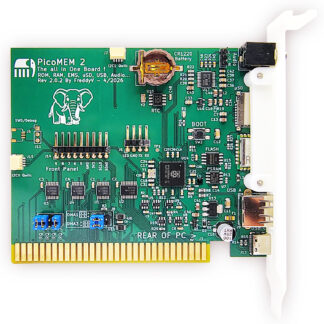
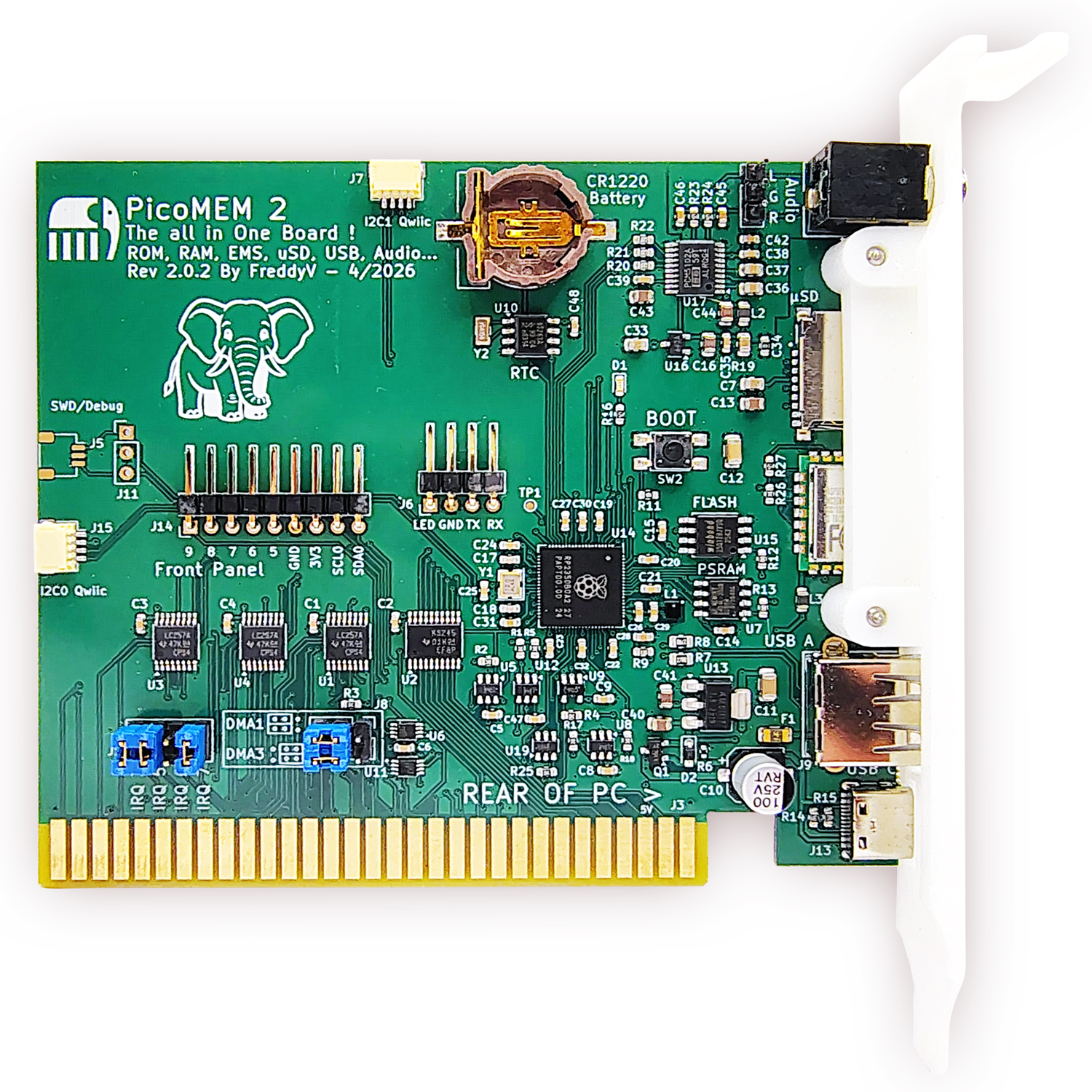
The PicoMEM 2 is the next‑generation upgrade to the original PicoMEM—an all‑in‑one ISA expansion card designed to bring modern storage, networking, audio, and peripheral support to vintage PCs. Built around the Raspberry Pi Pico 2 (RP2350 @ 360 MHz), it delivers major performance gains, expanded RAM emulation, true hardware DMA audio, and a wide range of new connectivity options.
If you’re looking for the most capable “Swiss‑army‑knife” ISA card for DOS gaming, development, or daily retro PC use, PicoMEM 2 is the flagship option.
New Features for the PicoMEM 2
- High‑performance RP2350 MCU @ 360 MHz 50% faster than PicoMEM v1.1’s RP2040 @ 240 MHz
- 256 KB Zero‑Wait RAM Emulation Doubled from 128 KB, enabling larger EMS configurations
- Fast QSPI PSRAM (1 wait state) Improved EMS and RAM emulation speed and compatibility
- Improved IOCHRDY timing (50 ns) Enables broader EMS support and better compatibility with more systems
- Full DMA Support Selectable DMA 1 or 3 via jumper; supports DMA from emulated RAM. (Except during PicoMEM’s own DMA operations.)
- Independent Multi‑IRQ Support (3, 5, 6, 7) Greatly improves compatibility with sound cards and network emulation
- Onboard High‑Quality Audio (PCM5102 DAC)
- Stereo OPL3
- Sound Blaster with hardware DMA
- Gravis UltraSound emulation with 1 MB RAM
- General MIDI / MPU‑401 via TinySoundFont All audio modes can run simultaneously
- Integrated NE2000 Networking Includes Wi‑Fi module with improved external antenna (+10 dB)
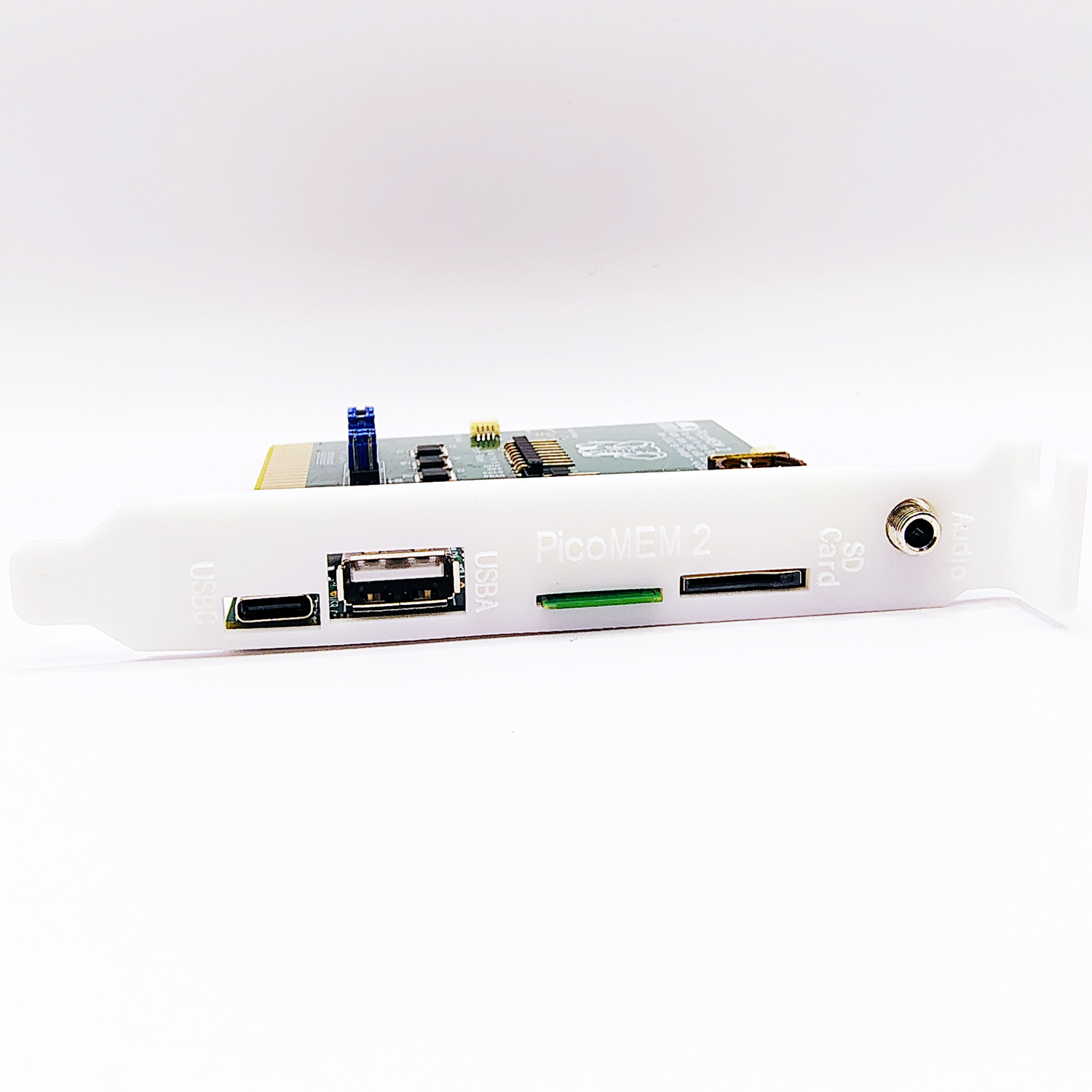
- USB‑A Port Onboard Supports USB mice, joysticks, USB drives, or hubs
- Real‑Time Clock (RTC) with battery Maintains system time across reboots
- Serial Port (TX/RX) + LED header Supports external indicators or HDD clicker modules
- Front‑Panel Connector for OLED + Buttons Ideal for menu navigation or status displays
- Dual QwiiC Connectors For sensors, UI modules, or expansion hardware
- Improved Joystick Support DirectInput, PS4/PS5, Switch/Switch2 controllers supported
What the PicoMEM 2 Can Do for Your Vintage PC
- Replace multiple ISA cards with one device
- Run Sound Blaster, GUS, OPL3, and General MIDI in DOS games
- Add NE2000 networking (wired or Wi‑Fi)
- Mount USB drives or MicroSD cards directly in DOS
- Emulate EMS/XMS memory
- Use modern USB controllers for DOS gaming
- Add RTC functionality to systems that never had it
- Expand with QwiiC modules or front‑panel displays
PicoMEM 2 vs PicoMEM v1.1 – Feature Comparison
| Feature | PicoMEM v1.1 | PicoMEM 2 |
| MCU | RP2040 @ 240 MHz | RP2350 @ 360 MHz |
| Zero‑Wait RAM | 128 KB | 256 KB |
| PSRAM | SPI | QSPI (faster, 1 wait state) |
| IOCHRDY | 120 ns | 50 ns |
| DMA | No hardware DMA audio | Full DMA support (SB/GUS) |
| IRQ | Limited | Independent IRQ 3/5/6/7 |
| Audio | OPL2, optional DAC | OPL3, PCM5102 DAC, SB DMA, GUS, MIDI |
| Networking | NE2000 | NE2000 + improved Wi‑Fi |
| USB | Basic/OTG | Full USB‑A port (mouse/joystick/storage) |
| RTC | No | Yes |
| Serial | No | Yes |
| QwiiC | 1 | 2 |
| Front‑panel | No | Optional OLED Front Panel (coming soon) |
Which One Should You Buy?
The PicoMEM 2 is the most powerful all‑in‑one ISA card available, especially for DOS gaming, GUS/Sound Blaster compatibility, USB peripherals, Wi‑Fi networking, or advanced memory emulation. However, slower systems may not be able to take advantage of some of these modes, specifically the SB/GUS playback of samples will be very limited or impossible. The real-time clock and faster RAM emulation would certainly benefit the XT, but the older card is still an excellent fit from a capability standpoint.
Documentation, Wiki, and Community Support
- Wiki: https://github.com/FreddyVRetro/ISA-PicoMEM/wiki
- Firmware, drivers, and source code: ISA-PicoMEM/firmware at main · FreddyVRetro/ISA-PicoMEM
- Support Discord: Invite Link
- Developer (FreddyV) on X: FreddyV (@FreddyVETELE) / X
Notes to PicoMem 2 Users
The PicoMEM 2 is a newly released product and may present some compatibility issues. As with any emulation product, it is always a work in progress. Many updates came out for the original PicoMEM, so updates will likely become available as more compability issues are resolved. If you are having an issue, be sure to check the WIKI and keep an eye out for updates. The cards is very simple to update with a standard PC and a USB-C cable.
The One ISA Card to Rule Them All Returns: PicoMEM 2 Setup Guide